Cafés & restaurants
★★★★★Example review
masala chai was so good, quick service too
Customers scan one QR code, tap a few answers and get a review written in their own words — ready to post. Unhappy customers tell you privately first.
…and one calm dashboard for you
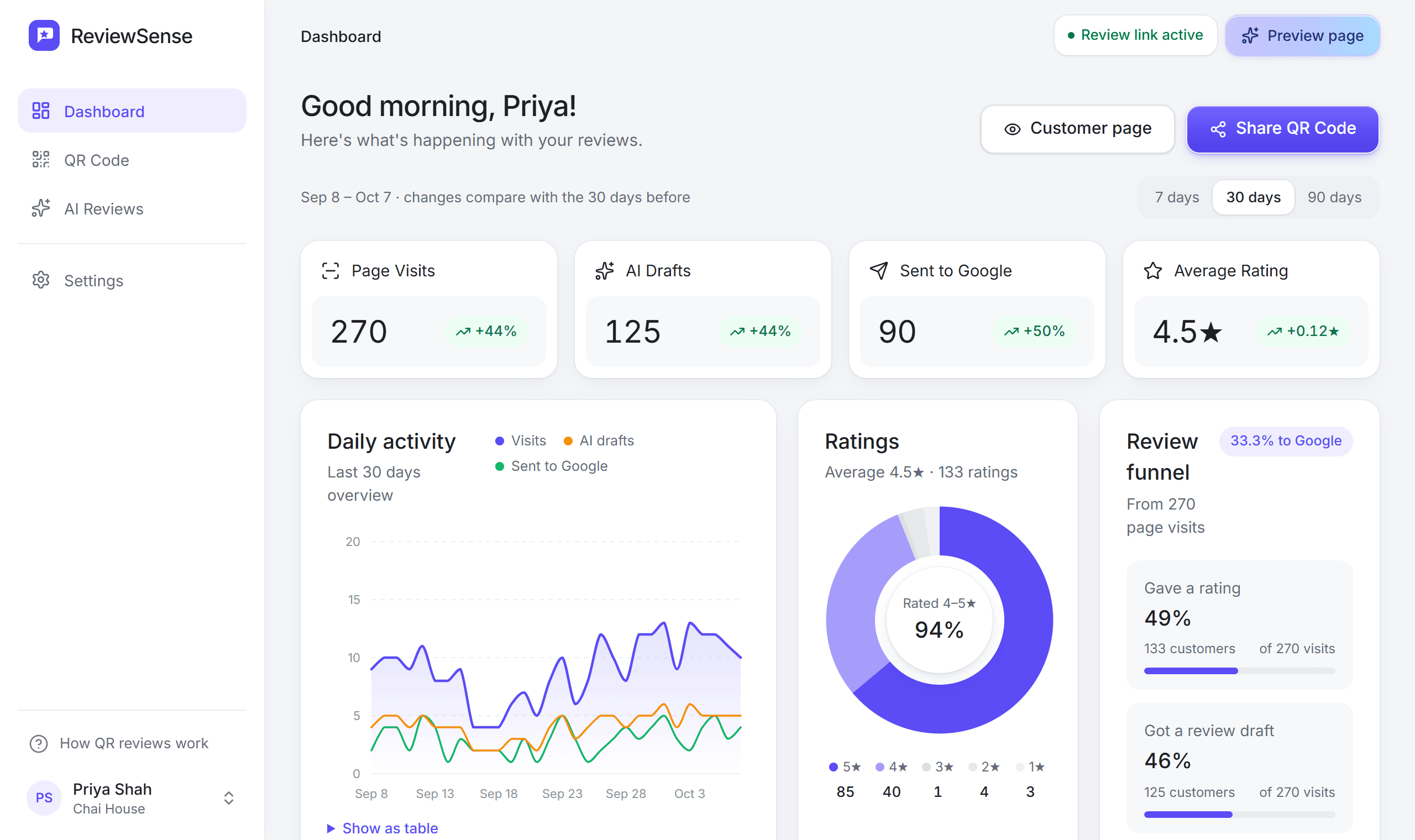
Visits, AI drafts, reviews sent to Google and private feedback — at a glance.
From creating your free account to a review on Google — and what happens when a customer isn't happy.
STEP 01 / 09
Sign up in about 30 seconds. No card, no Google login.
Step 1: Create your account. Sign up in about 30 seconds. No card, no Google login.
ReviewSense replaces “please leave us a review” with a two-tap flow customers actually finish. Built for any local business — and free while we're in early access.
01 /
Put one QR code on the counter, tables or the bill. Customers open it with their phone camera — no app, no sign-up.
Pick a card design and colour, add your logo, and print. Or send the same link by WhatsApp, SMS or email.
Chai House
How was your visit?
Share it anywhere
02 /
Customers tap a star rating, then — only if they want — the service they used, who helped them and what stood out.
Every question is optional. Most people are done in a few taps.
How was your experience?
What stood out?
Who helped you?
Priya ✓
Typing needed
None
03 /
For 4–5★ ratings, ReviewSense writes a short, natural review from the customer's own answers — never invented details, never the same twice.
They can edit it, then one tap copies it and opens your Google review page.
Here's your review
staff were lovely and I barely had to wait, masala chai was so good. will be back 😊
04 /
Low ratings come to you first. Customers tap what could be better and it reaches you privately, so you can fix it — they can still choose to post on Google.
See visits, reviews and what customers mention most on one simple dashboard.
Private feedback
Tea was cold today
Sent privately to you.
Sent to Google
128
24%No setup calls, no Google login, no app for customers — and all of it free. Just the parts that get you more honest reviews.
Chai House
How was your visit?
Chai House
How was your visit?
Chai House
How was your visit?
Pick a design and colour, edit the wording, add your logo — then download a print-ready PNG or SVG, or print it in A5.
Paste your review link or just your Place ID. No Google login, no API keys.
Who helped you?
Service
Add your team and services. Customers tap who helped them — the review can thank them by name.
Waited a while for my order
Most tapped
Slow service
fix this first
1–3★ customers tap what could be better and it comes to you privately, so you can fix it. They can still choose to post on Google.
Sent to Google
128
Visits, AI drafts, reviews sent to Google and your rating trend — for 7, 30 or 90 days.
Customers scan with their normal phone camera. The page opens in the browser and is done in under a minute.
staff were lovely and the chai was so good
The draft is only a starting point. Customers can change anything, and they post it from their own Google account.
Any business with walk-in customers. Set your services and quick-tap options once; ReviewSense suggests them for your type of business.
Everything ReviewSense does is free while we're in early access. No card, no trial timer.
₹0/ month
Free while we're in early access. No card needed, nothing to cancel.
Set up in about two minutes
EVERYTHING INCLUDED
The short version: one QR code, honest reviews in your customers' own words, and private feedback you can act on.
A simple tool for local businesses. Customers scan your QR code, tap a star rating and a few quick answers, and happy customers get a short review written from their own answers — ready to post on Google. Customers with a low rating can tell you privately what went wrong.
No. It only uses the stars, taps and words the customer gives, and it's told never to add details. The customer reads and edits the draft, and posts it themselves from their own Google account.
Customers who give 1–3 stars are asked what could be better, and that goes to you privately so you can fix it. They can still choose to leave a Google review if they want to.
No. ReviewSense only needs your public Google review link — or just your Place ID. There's no Google sign-in, no API access and no password sharing.
Search for your business on Google, open your Business Profile and choose “Ask for reviews”. Copy the link it gives you (it usually looks like g.page/r/…/review) and paste it into ReviewSense during setup.
No. They scan with their normal phone camera and the page opens in the browser. It's built for phones first and needs no login.
Yes, while we're in early access. Create your account, add your Google review link and print your QR card without paying anything.
Free AI-written reviews from your customers' own words. Set up in about two minutes — no Google login, no app, no card.